Employee Scheduling Software
End of Service Notice (4/1/2022): It has been our pleasure to provide our customers with quality PC software for over 30 years. As of 4/1/2022, all installable PC-based products and tools will no longer be available for sale. To help you transition to other solutions, we will continue to support these products through 3/31/2023. You can continue to use our products after 3/31/2023. Thank you for your business!
Sample schedules and reports
With VSS Pro employee scheduling software, you can print, publish, or e-mail (text or PDF) any kind of schedule or report. Whether you need daily, weekly, or monthly schedules, for a department, shift, or location, VSS Pro can handle it all. Here are just a few schedules and reports you can produce with VSS Pro:
 Sample Weekly Schedule
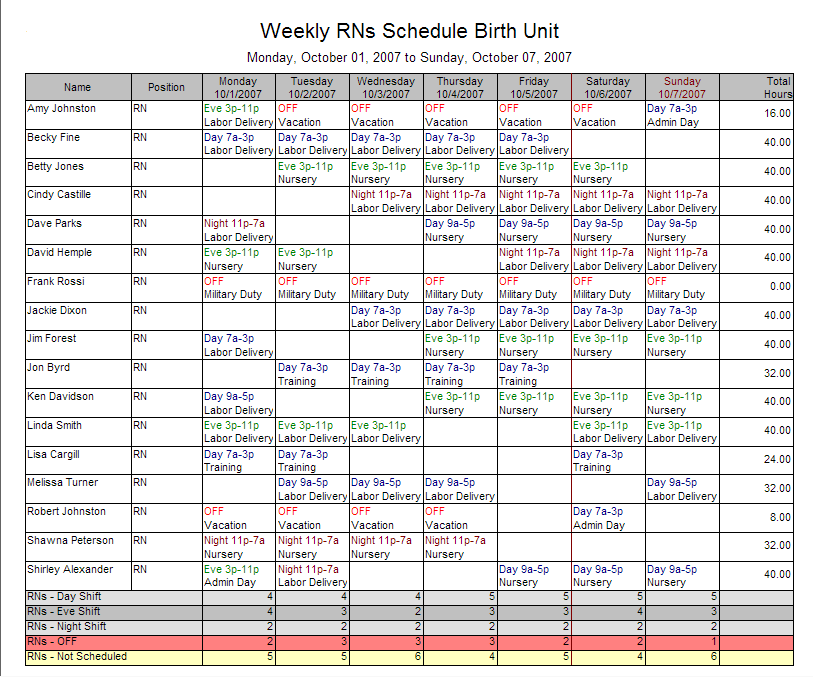
Create schedules for your staff in seconds. To save you time, VSS Pro can display the number of hours scheduled per employee and provide personnel count for a particular shift, location or position.
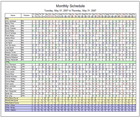 Sample Monthly Staff Calendar
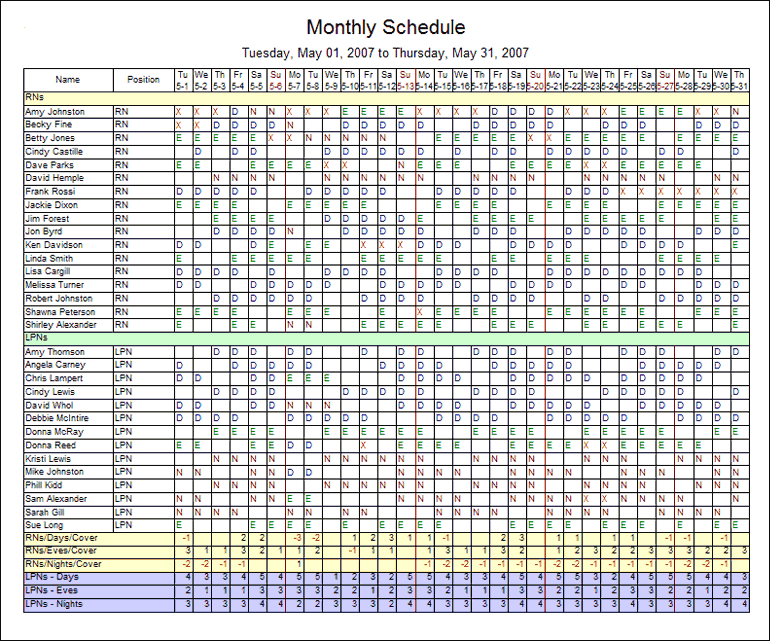
Produce schedules and reports to meet your exact needs. Pick date ranges, employee groups, shift types and other schedule information, plus the level of detail and data order.
 Sample Schedule by Shift
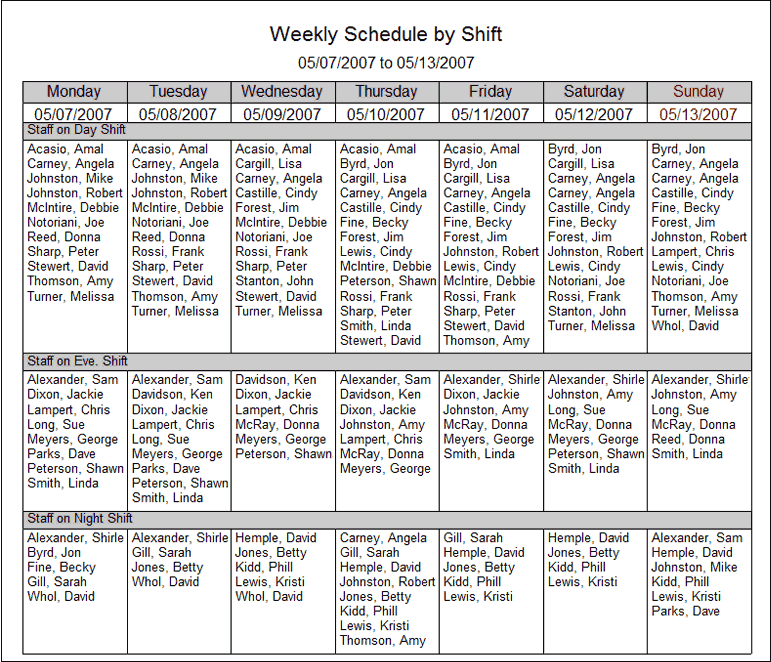
Create schedules that separate personnel into different groups, including shift type, location, or position.
 Sample Schedule by Position
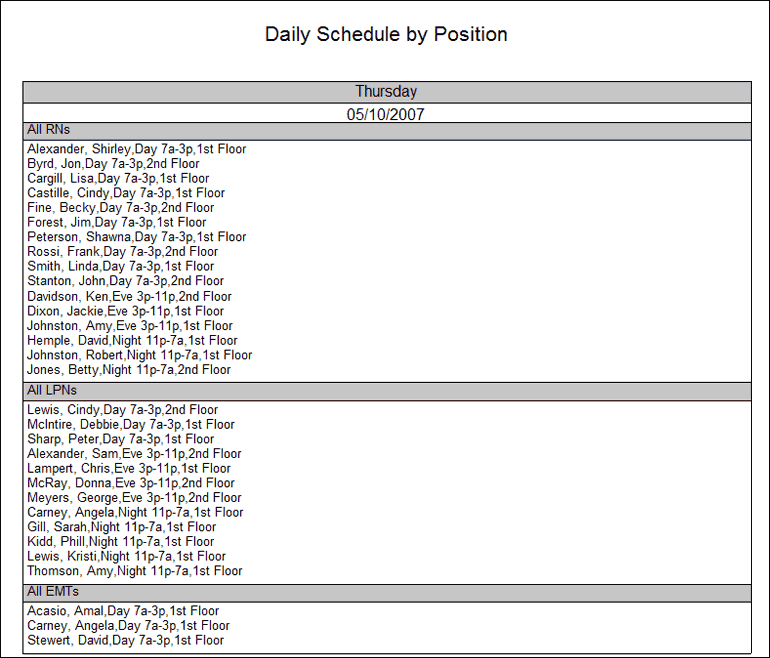
Sort schedule information in the order that best fits your scheduling needs. For example, you can display scheduling information on the schedule sorted by name, start time, or shift explanation.
 Sample Personal Calendar
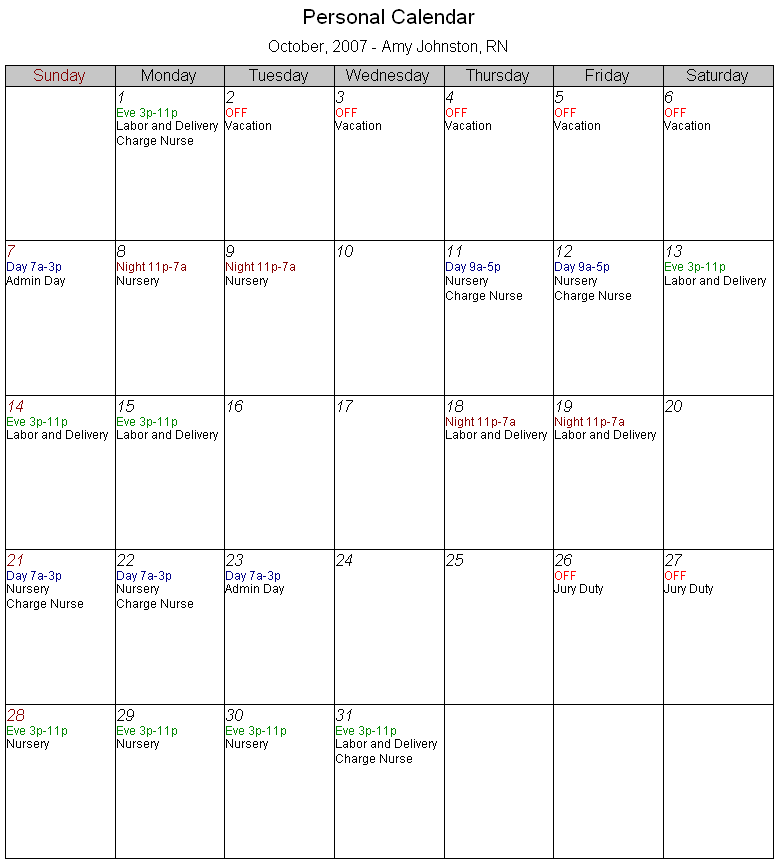
Create personal work schedules for any staff member with a single mouse-click. Each employee can have his or her own personal schedule that can be printed, published, or e-mailed.
 Sample Daily Roster
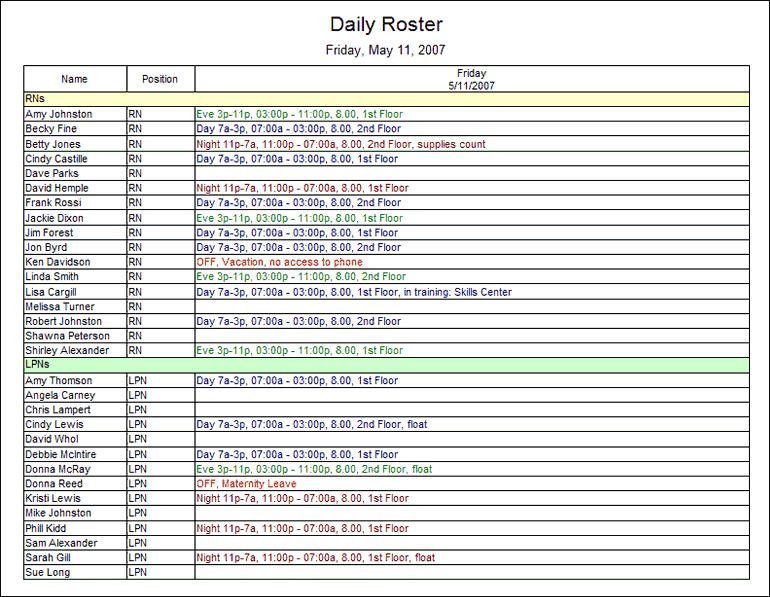
VSS Pro employee scheduling software allows you to produce custom daily rosters than can include all schedule information assigned to employees for a particular day, including shift start and end time, location, tasks assigned, and notes.
 Sample Time Off Report
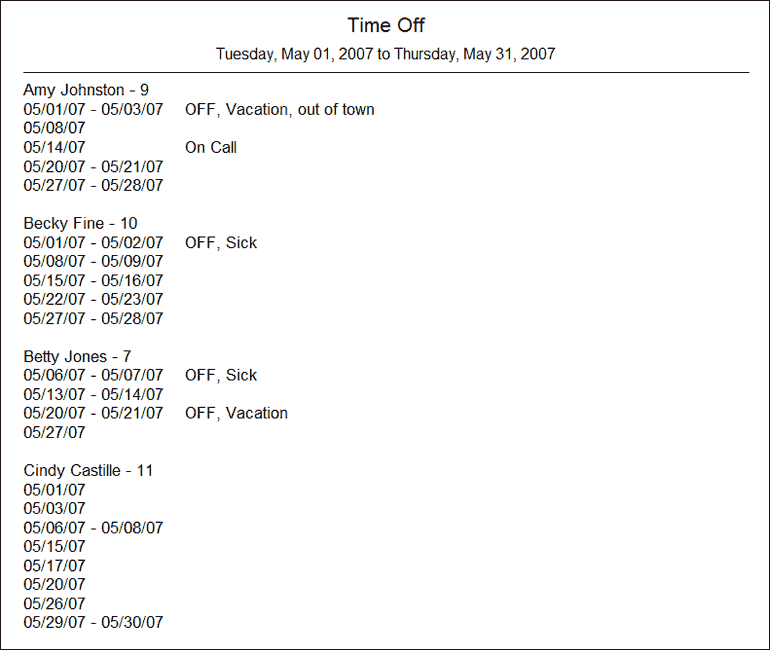
The Time Off report gives you a list of all employees' time off, including vacations, sick days, etc.
 Sample Estimated Labor Cost Report

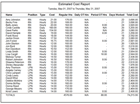
You can use the Estimated Cost report to calculate hours scheduled, and to provide an estimate of labor costs for a given work period.
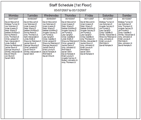 Sample Location Schedule

VSS Pro shift scheduling software allows you to create custom schedules and reports using queries. Queries are used to tell VSS Pro which information to include on a schedule (i.e. specific shifts, departments, locations, positions). This gives you unparalleled flexibility when creating schedules and reports.