Appointment Scheduling Software
End of Service Notice (4/1/2022): It has been our pleasure to provide our customers with quality PC software for over 30 years. As of 4/1/2022, all installable PC-based products and tools will no longer be available for sale. To help you transition to other solutions, we will continue to support these products through 3/31/2023. You can continue to use our products after 3/31/2023. Thank you for your business!
Book appointments with ease
Our appointment scheduling software, Customer Appointment Manager, offers many features to help you book and manage your appointments faster and more efficiently.
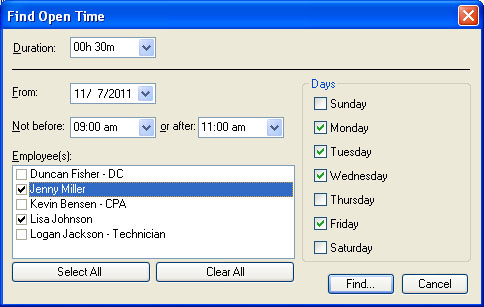 Find Open Time
Use the Find Open Time function to see when a specific employee or any employee has an opening to meet the customer needs.
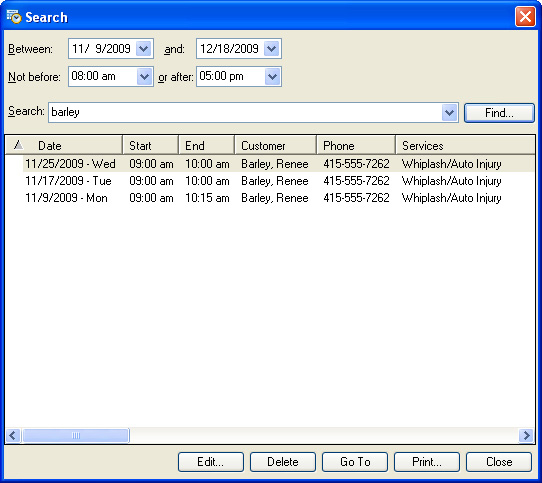 Search
If a customer calls to reschedule an appointment, you can use the search function to quickly find the appointment and make the necessary changes. Customer Appointment Manager will alert you if there is a conflict with a previously scheduled appointment.
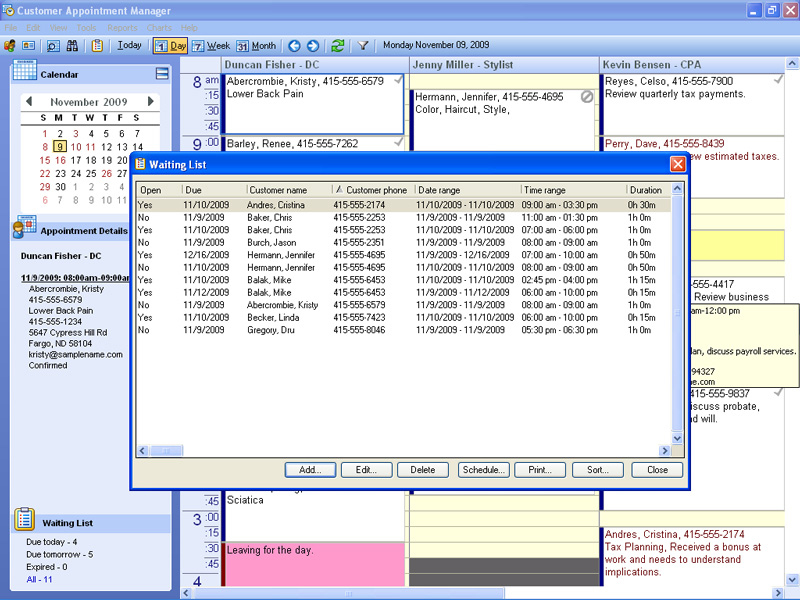 Waiting List
You won’t forget to squeeze a customer in an available opening with the waiting list. Each time you launch the waiting list you'll instantly see what appointment requests can be scheduled. All the information you need to confirm the appointment with the customer is at your fingertips. With date and time ranges, you can accommodate more requests and book more business. The on-screen waiting list reminds you to take action on expired appointment requests or appointment requests due today or due tomorrow.
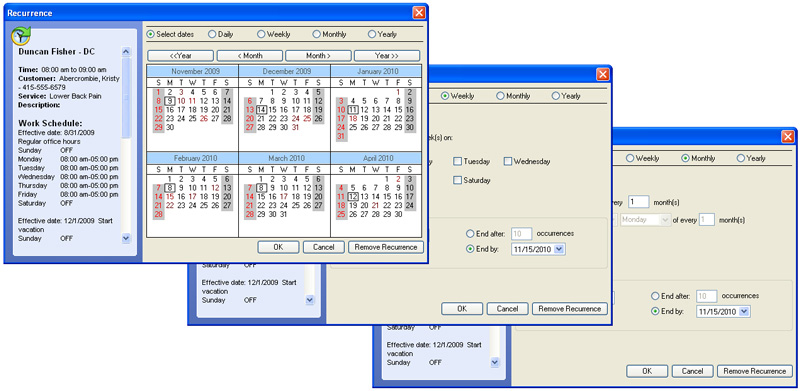 Recurring Appointments Options
Schedule repeating appointments with ultimate flexibility. Use Customer Appointment Manager's custom date selection calendar or apply scheduling patterns such as daily, weekly, or the first Monday of every month. Also, Customer Appointment Manager will display details of appointments conflicting with the repeat appointment you are scheduling so you can take the appropriate action.
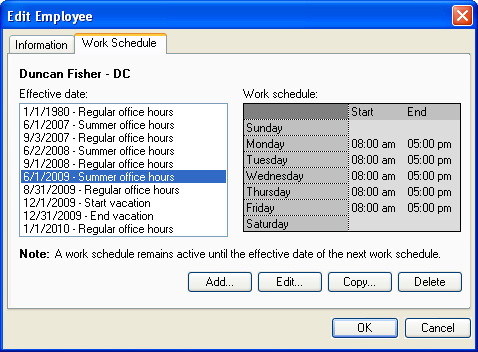 Employee Work Schedules
Enter your employees’ work schedules to make sure appointments are only scheduled on days they’ll be working. It’s easy to accommodate temporary or permanent changes to an employee’s work schedule, such as summer or holiday schedules.
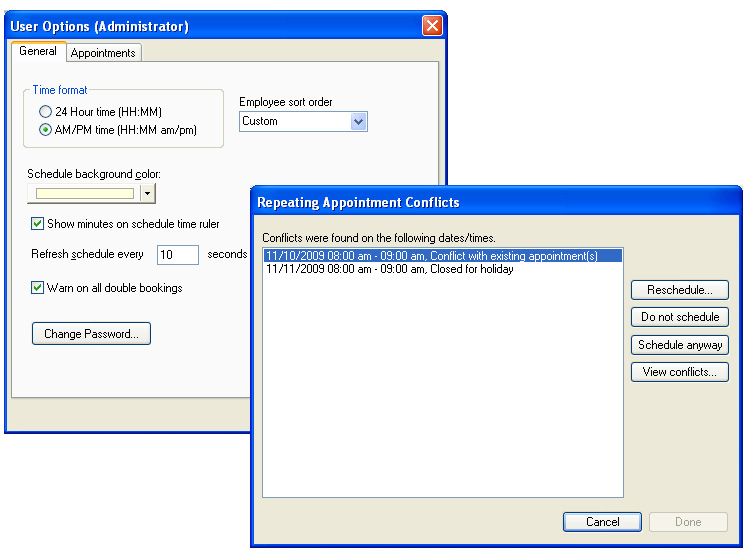 Conflicting Appointments Alert
Double bookings can waste time and frustrate customers. Turn on the warning for double bookings and Customer Appointment Manager will tell you when there is a conflict when you schedule or move an appointment. If your business double books appointments, simply turn the warning feature off.
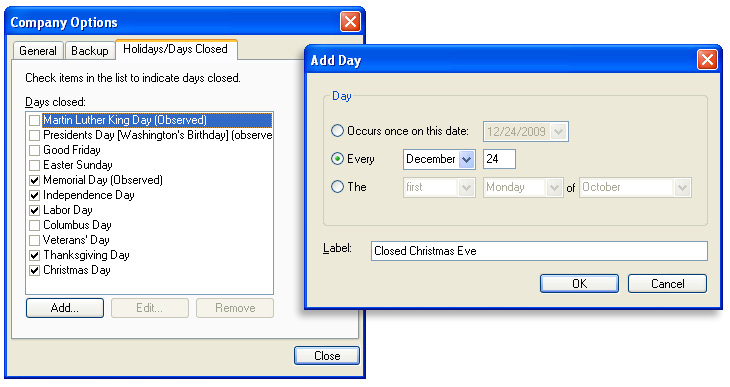 Holidays/Days Closed
Block off all employees' schedules for holidays and days your business is closed with this feature.
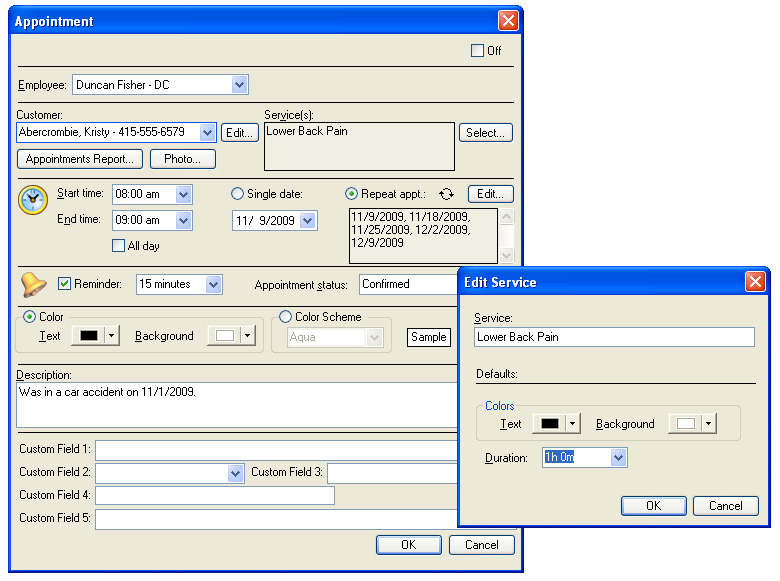 Service Templates
Ensure you book enough time for your customers with service templates. Assign a duration and color scheme to each of your services and Customer Appointment Manger will automatically adjust the appointment length and color scheme. If you book more than one service for an appointment, it will combine the durations for you.
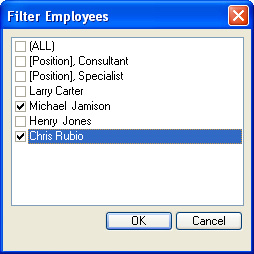 Employee Filter
Use the employee filter to display only those people you would like to see on the scheduling worksheet. You can select employees individually or by position.
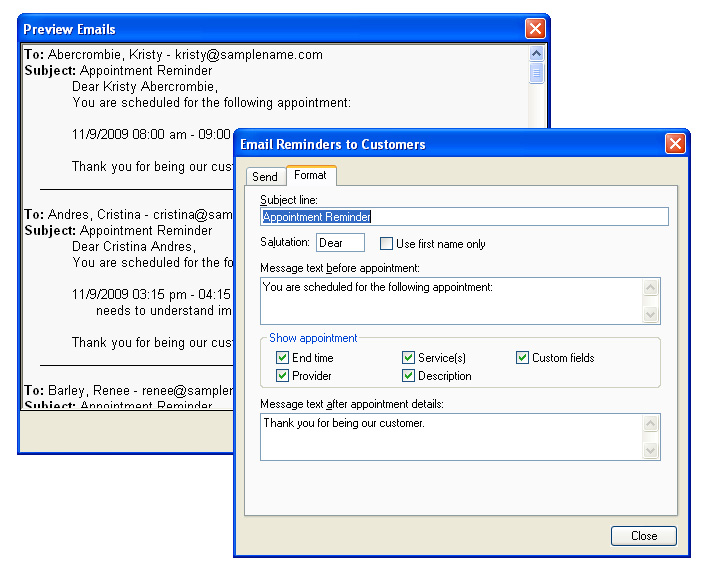 E-mail Appointment Reminders
Reduce the number of no-shows, cancellations or rescheduled appointments when you take advantage of Customer Appointment Manager's e-mail reminders feature. Send an e-mail reminder to one customer or to all customers with an upcoming appointment.
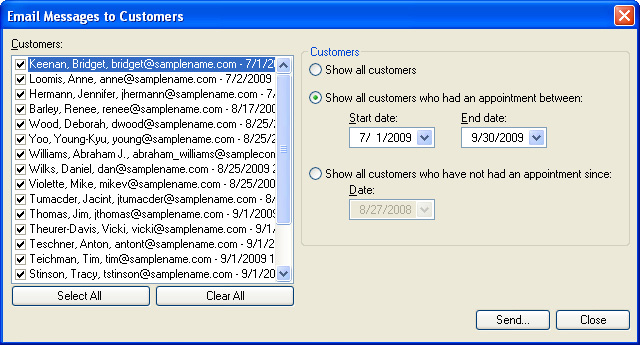 E-mail Messages
Stay connected to your customers via e-mail. Promote special offers, request feedback or send your monthly electronic newsletter via e-mail with ease! Customer Appointment Manager can automatically populate your message with the e-mail addresses of all customers, customers who had an appointment within a specific date range, or customers who have not had an appointment within a specific date range.
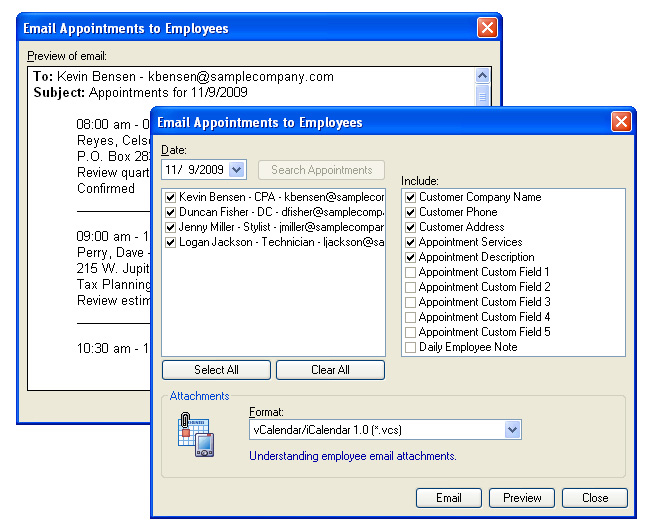 E-mail Appointments to Employees
Improve communication and efficiency when you e-mail appointment information to employees for access via any web browser. With just a few clicks, your employees can receive up-to-date appointment information when visiting a customer site, at home or anywhere.
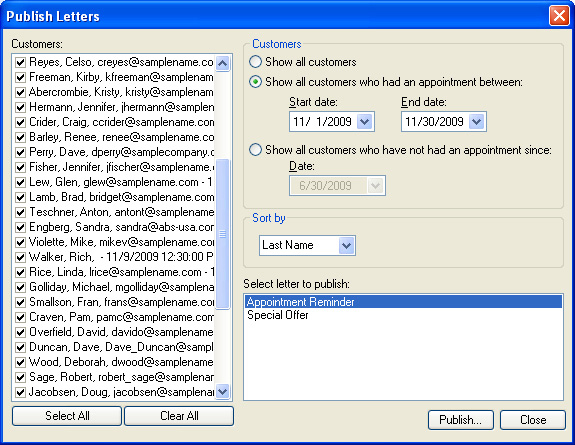 Customer Letters
Customer Appointment Manager makes communicating with customers effortless. The Create/Edit Letters and Publish Letters features let you create and send customer correspondence in no time! Using Microsoft® Word you can create and customize your own letters populated by various fields from your Customer Appointment Manager database. Invite customers to an open house, send out a special promotion, or request customers who have not scheduled an appointment for some time to come back – the possibilities are endless!
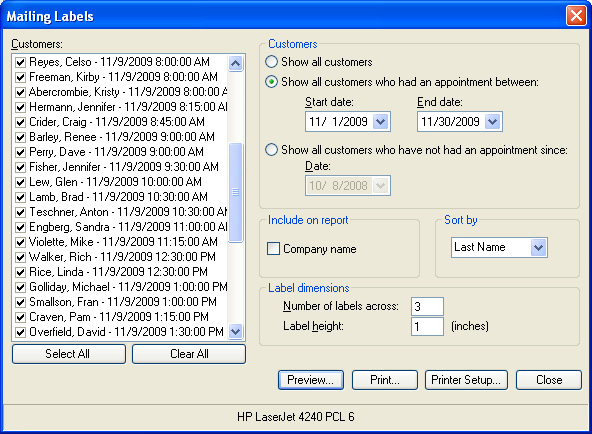 Mailing Labels
After using the Customer Letters feature, you are ready to mail your latest promotion, invitation, or appointment reminder letters. Don't write those envelopes out by hand! Save time using the Mailing Labels feature. A few clicks and you'll have mailing labels all ready to go!
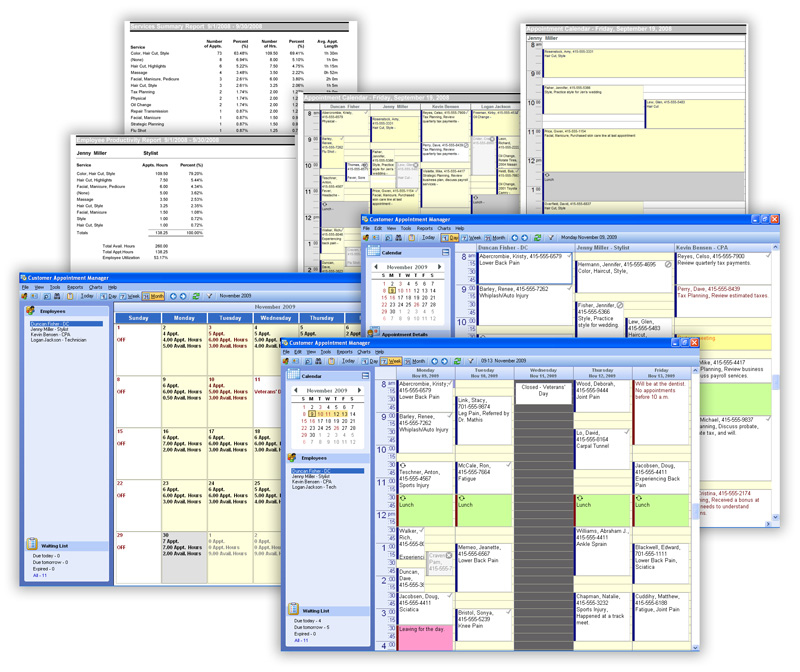 Reports
Customer Appointment Manager has a variety of professional-looking reports to provide you the information you need about your business. Print or export your appointment calendar and reports in various formats, such as PDF, Word, Excel, or HTML.
Learn more about Customer Appointment Manager reports
Appointment Statuses
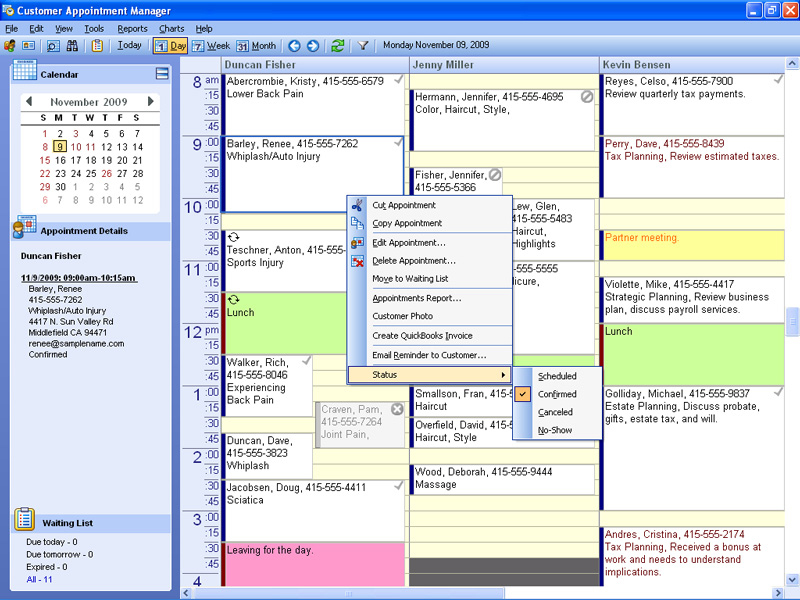
Six preset appointment statuses and five custom statuses are available in Customer Appointment Manager. Appointments default to the "scheduled" status but can be marked confirmed, canceled, no-show, completed, checked-in or create your own custom status. Unique icons in the upper right hand corner of the appointment let you know at-a-glance the appointment status. Canceled appointments will change the text and background color so you can keep customer information but quickly see if you have an opening.
 Security
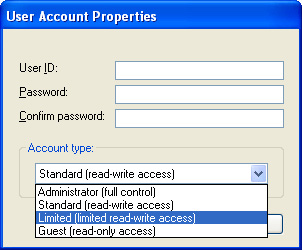
Keep your customer information safe with unique user permissions. There are four different user settings that range from full read/write access to read-only access.
 QuickBooks Synchronization
Seamlessly share customer information between Customer Appointment Manager and QuickBooks. When you add customer information in Customer Appointment Manager, it gets added to QuickBooks (and vice versa). Launch a QuickBooks invoice right from Customer Appointment Manager to save time.1
 Take Appointment Requests Online2
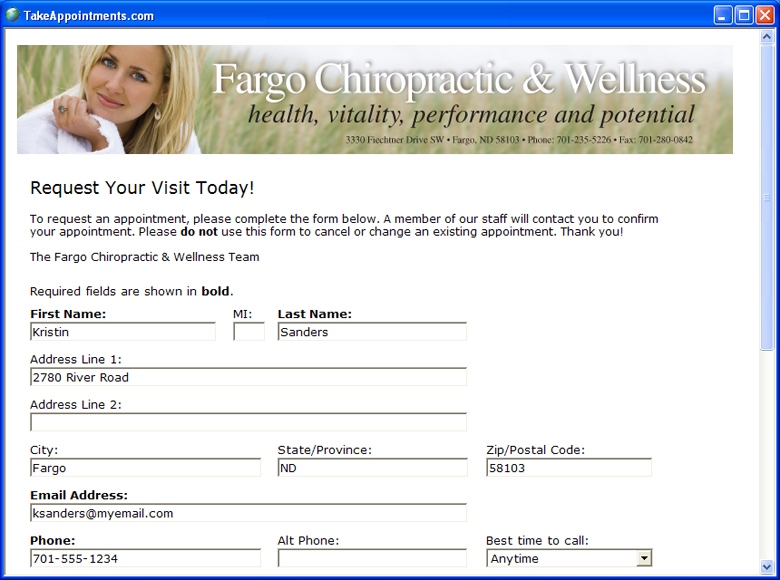
Build a custom online appointment form for your business. The appointment form can include your company logo, banner, color scheme, and appointment days and times. Use your appointment form’s web address on business cards, advertisements and brochures, or link to the form from your web site. All online appointment requests appear instantly in Customer Appointment Manager Pro. You can also access appointment requests from any Internet browser and send appointment requests to your e-mail address.
 Services Summary Chart3
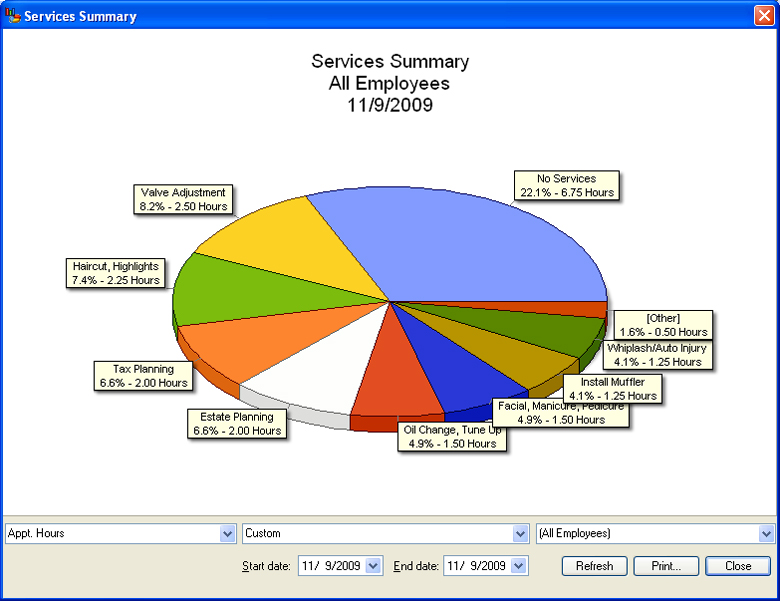
See how many appointments, or appointment hours, your employees are scheduled for each service. View this information for any employee or all employees to see if your services mix is changing over time. Also, see where your employees are spending most of their time.
 Employee Productivity Chart3
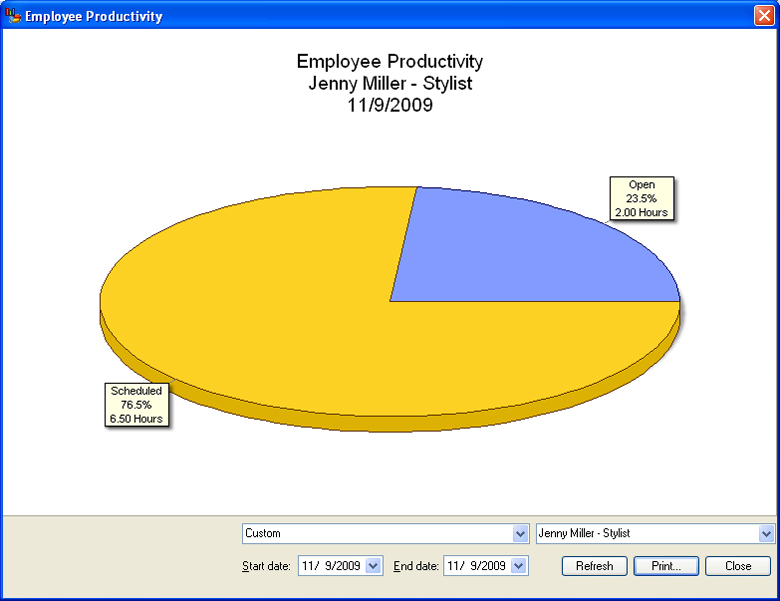
See how many hours your employees are scheduled versus not scheduled. View this information for any employee, or all employees, to determine if employee productivity is increasing or decreasing over time.
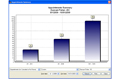 Appointments Summary Chart3

See how many appointments have been scheduled for any time frame. View this information for any employee, or all employees, to see if your business is growing. You can also view the number of cancelled appointments or no-shows.
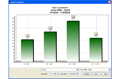 New Customers Chart3
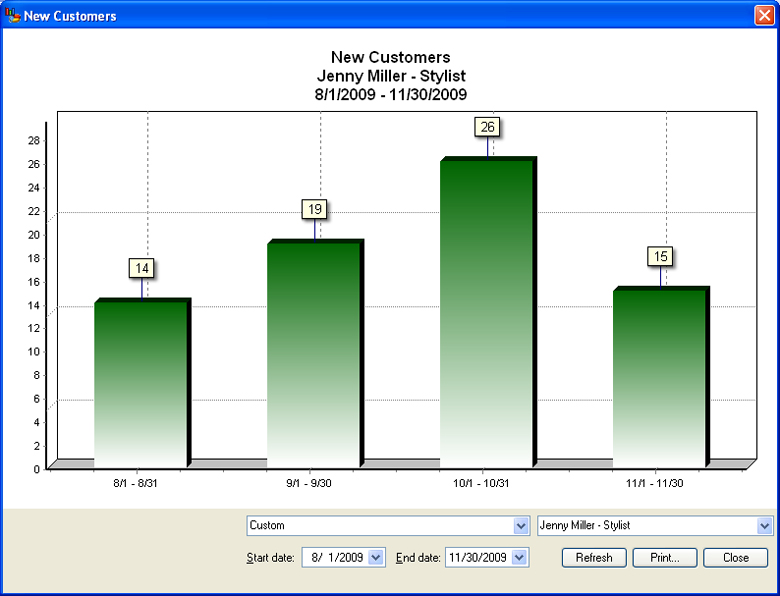
See how many new customers each of your employees, or all employees, have acquired for any time frame. Ideal for sales contests and measuring marketing efforts.
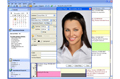 Store Customer Photos3
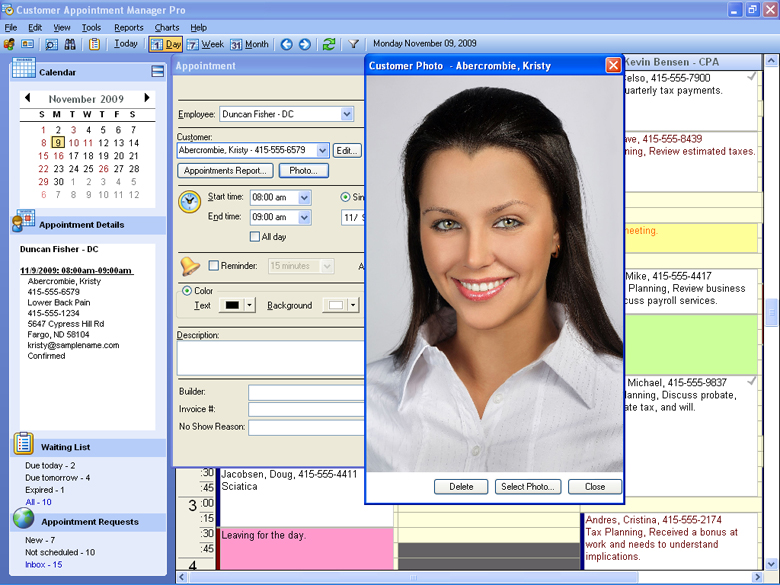
Customer photos are just a click away! Now you can quickly and easily verify customers upon check-in. Reduce your liability and make sure you’re providing the right service for the right customer.
 Attach Files to Customer Records3
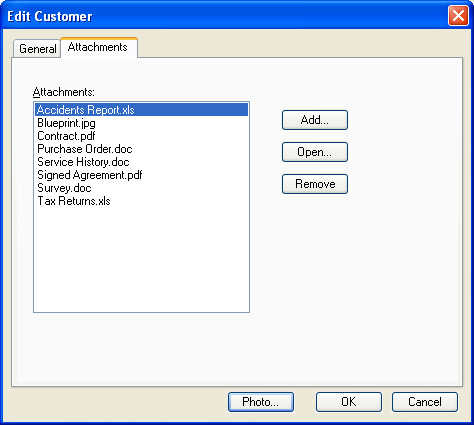
With a click of your mouse, you can access reports, contracts, agreements, blueprints, surveys or any other customer-related file or image. File types supported are .pdf, .doc, .docx, .xls, .xlsx, .rtf, .bmp, .jpg and .gif.
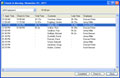 Check-In Assistant3
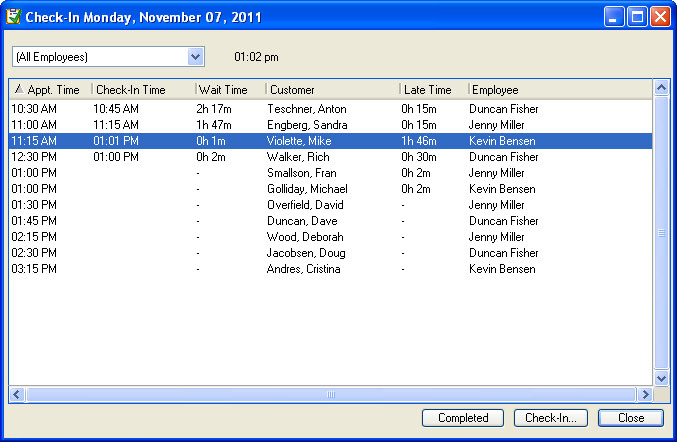
Who’s in your waiting room? When did they check in? How long have they been waiting and who are they here to see? Who’s late for their appointment? The new Check-In Assistant found only in Customer Appointment Manager Pro instantly shows you and automatically updates in real time. Use this tool to check-in customers for their appointments and mark customers as completed when they’re no longer in your waiting room.
 Track Appointment Changes3
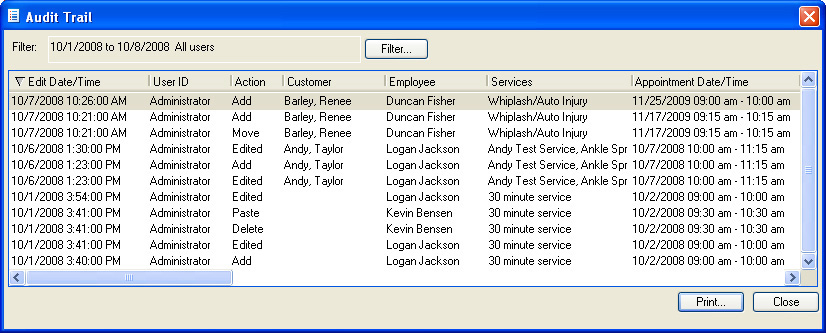
Easily track changes made to appointments by individual users. See who scheduled or deleted an appointment, made changes to appointment times, descriptions, services, and more. Only user’s granted administrator rights within Customer Appointment Manager Pro can view this information.
 View Appointments Online with Google Calendar4
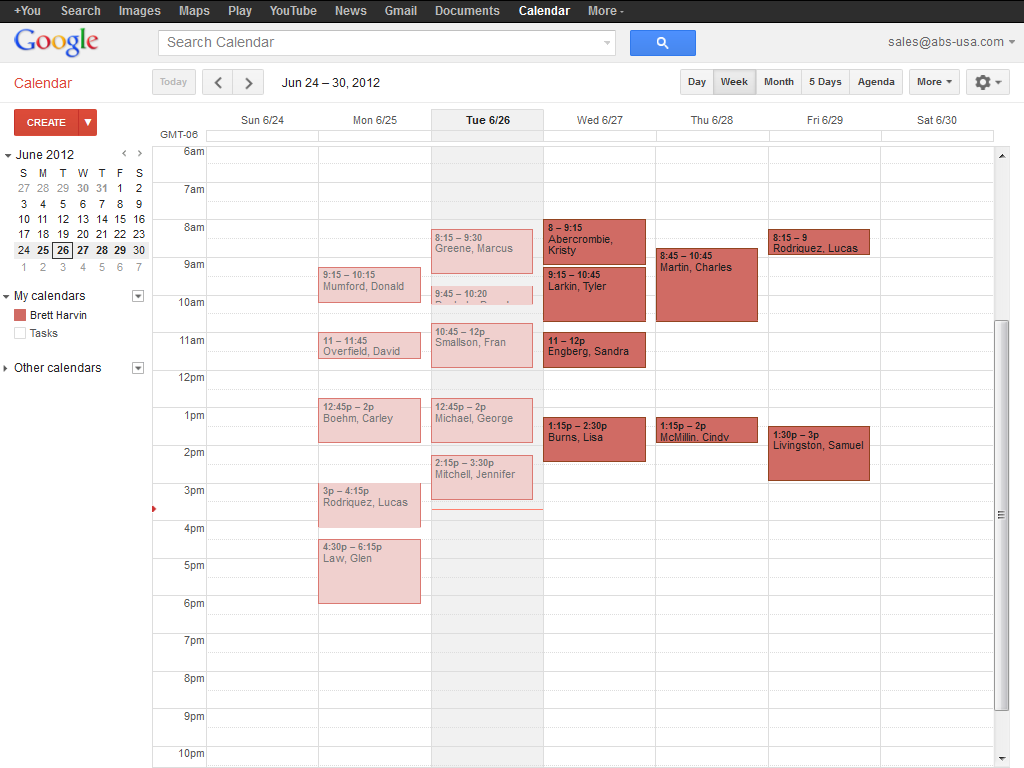
Let your employees view their appointments online using a PC or Smartphone with Google Calendar, it's free! In seconds, you can send or update appointments for up to six weeks. Give your employees instant access to up-to-the minute appointment information anywhere, anytime!
Notes:
1 U.S. edition of QuickBooks required to create invoices.
2 Requires current version of Customer Appointment Manager Pro and Internet access to use Online Appointment Requests tool.
3 Feature only available in Customer Appointment Manager Pro.
4 Requires Internet access and an active Google Calendar account. This feature is not compatible with Google Apps for Business.